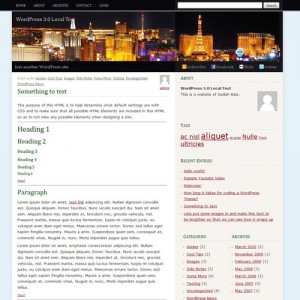
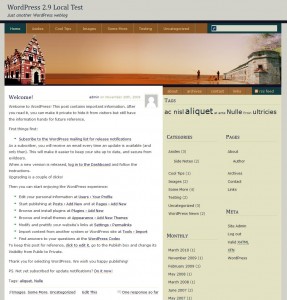
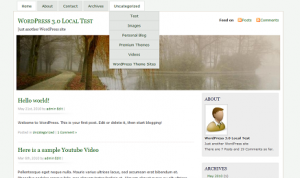
Green Tea – Free WordPress Theme

Today’s free WordPress theme is designed by Roshan of CSSHeaven.org (you might know him from his RamblingSoul themes). I ported the static template to WordPress and packed it with WordPress 3.0-specific features, including custom menus, headers, and backgrounds. More on that below.


WordPress 3.0 Menus
As stated above, this theme includes WordPress 3.0 menu support which means you have very flexible control over what links show up in your header menu. If you don’t set up a menu, it will default back to a list of WordPress pages.

For further reading on implementing the WordPress 3.0 menu feature into your own themes, I found these links really helpful:
- Goodbye headaches, hello menus! – A write-up by Justin Tadlock on WordPress 3.0 menus.
- wp_nav_menu – The official WordPress codex on the function used for the menus.
Custom Header
If you want to get rid of the red header image displayed directly below the nav menu, the custom header feature is for you. You’ll need an image 980 pixels wide and 170 pixels high to replace it. If it’s smaller than that, the CSS is coded to position the background image in the center of the div.

For more information on implementing this in your own theme, I found the add_custom_image_header page on the WordPress codex very useful, although I modified it a bit so it doesn’t load styles in the header, just an inline background image declaration on the “header” div.
Of course, feel free to check out the code in header.php and functions.php to see how exactly I did it.
Custom Background
If you want to customize the background image and get rid of the greenish background image currently used, use this feature.

This is by far the easiest feature to implement in a theme, thanks to WP Engineer for the one line code you need to add to your theme’s functions.php file.
add_custom_background();You also need a wp_head() hook in your header so the internal stylesheet that handles the custom background styles can be embedded.
Custom Thumbnails
As you can see on index/archive/search pages, the posts are laid out in a gallery format. For this, I decided to use the built-in WordPress thumbnail system. It will automatically crunch the images to 270×140.
Thanks to Mark Jaquith’s tutorial for information on integrating this feature into the theme.
Widgets
Like almost all the other themes here, Green Tea is widget ready. The widgetized areas are the sidebar, left footer, right footer, and 404 page.
Conclusion
This should probably go without saying, but you’re going to need to be running WordPress 3.0 for this theme to not spit out a bunch of errors. It’s not backwards compatible, and I did this on purpose to help force people to upgrade to the latest version (which you should be doing anyway).
The reason I chose this particular template because it seemed to have as many elements that I could use to integrate WordPress 3.0 specific features. While I wouldn’t necessarily use these features on my own sites, I can see the value if you’re developing themes for public release or clients.
WordPress 3.0 menu integration is pretty much a must for those, as it makes things so much easier for users in customizing links in menus versus the old way: page lists, category lists, or hard-coded menus. Depending on the design, custom headers would be nice and to some extent, maybe even custom backgrounds (although I’m not a huge fan of this one).
Thanks to Max Luzuriaga for the suggestion of the Green Tea name which I got on Twitter.
Let me know what you think of the theme in the comments, I’d love to hear your feedback!
License: Everything is licensed under the GPL, the original template (including CSS and artwork) and the WordPress portion.
Related posts:
Posted in Theme Labs | No Comments »
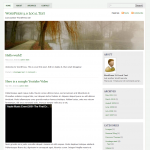
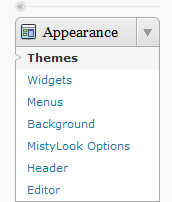 Support for changing the site’s background with WordPress 3.0